
Discord Bots for Minecraft Servers: The 2026 Setup Guide

Most Minecraft communities end up running five Discord bots that wear someone else's name. Here is how to fold them into one that carries yours.
Your ranking on a server list brings players in. Your Discord is where they decide to stay. Ask anyone running a mid-sized Minecraft community what actually eats their week and it is rarely the game server — it is chat moderation, the same three questions every day, the ban-appeal queue, and half a dozen bots quietly stepping on each other.
That last part is the cheapest one to fix.
How a Minecraft Discord ends up with five bots
Every community grows the same way. You add a moderation bot on day one. A levels bot follows, because activity rewards keep a channel alive. Then a ticket bot, the first time someone appeals a ban. Then a logger, because you need to know who deleted what. Then an invite tracker, once you start swapping traffic with partner servers.
Five bots. Five prefixes your members are expected to remember, five permission sets to audit, and five things that can break independently on a Friday night. Each one sits in your member list under a company name that is not yours, with an avatar you cannot change.
For a community you have spent months building — a name, a logo, a colour scheme, a place on the player rankings — that is a strange point to stop caring about presentation.
The difference between using a bot and running one
There are two models here, and they are not the same product.
With a shared bot, the Discord application belongs to the vendor. You invite it. Its name, avatar and profile are theirs, sometimes renameable on a paid tier. Your configuration sits in a database beside every other server using it. If the vendor shuts down or changes its terms, the bot leaves your server and you are left with nothing you owned.
With your own bot, you register the Discord application yourself, on your own token. The name your members see, the avatar, the App tag, the verified badge once you qualify — those are yours, because the application is yours. A host runs the code; the identity never leaves your account.
Kubot is built on the second model. You create the application in Discord's developer portal, paste its token in, and it hosts and configures the bot behind your identity. Nothing in your server carries the host's branding — not the name, not the avatar, not the embed footers.
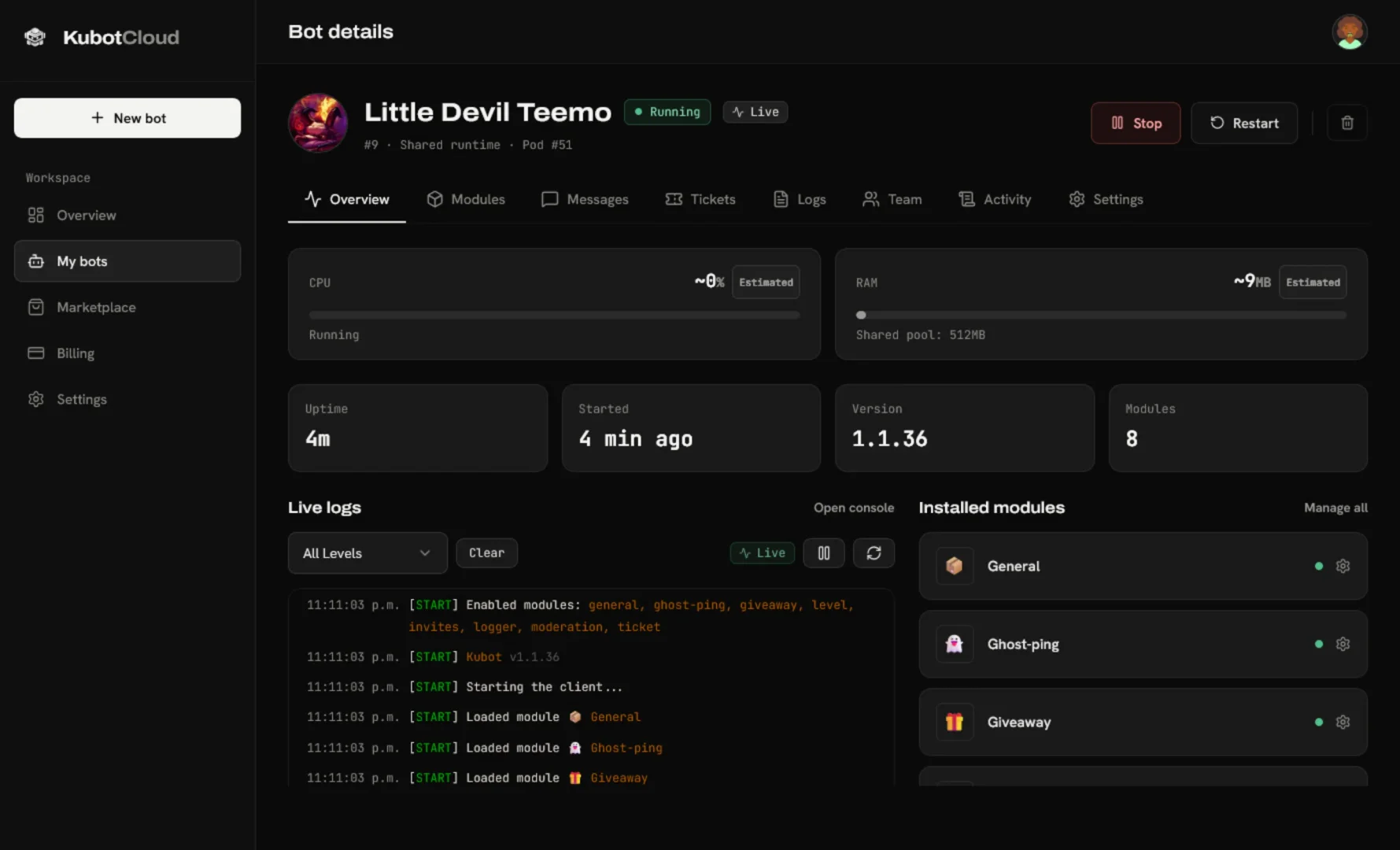
What to actually put on it
The point of consolidating is that one bot covers what five were doing. The module catalogue currently runs to thirteen, and the ones a Minecraft community reaches for first are fairly predictable:
| Module | What it replaces |
|---|---|
| Moderation | Your sanction bot — presets, history, channel controls |
| Tickets | Ban appeals and support, with transcripts |
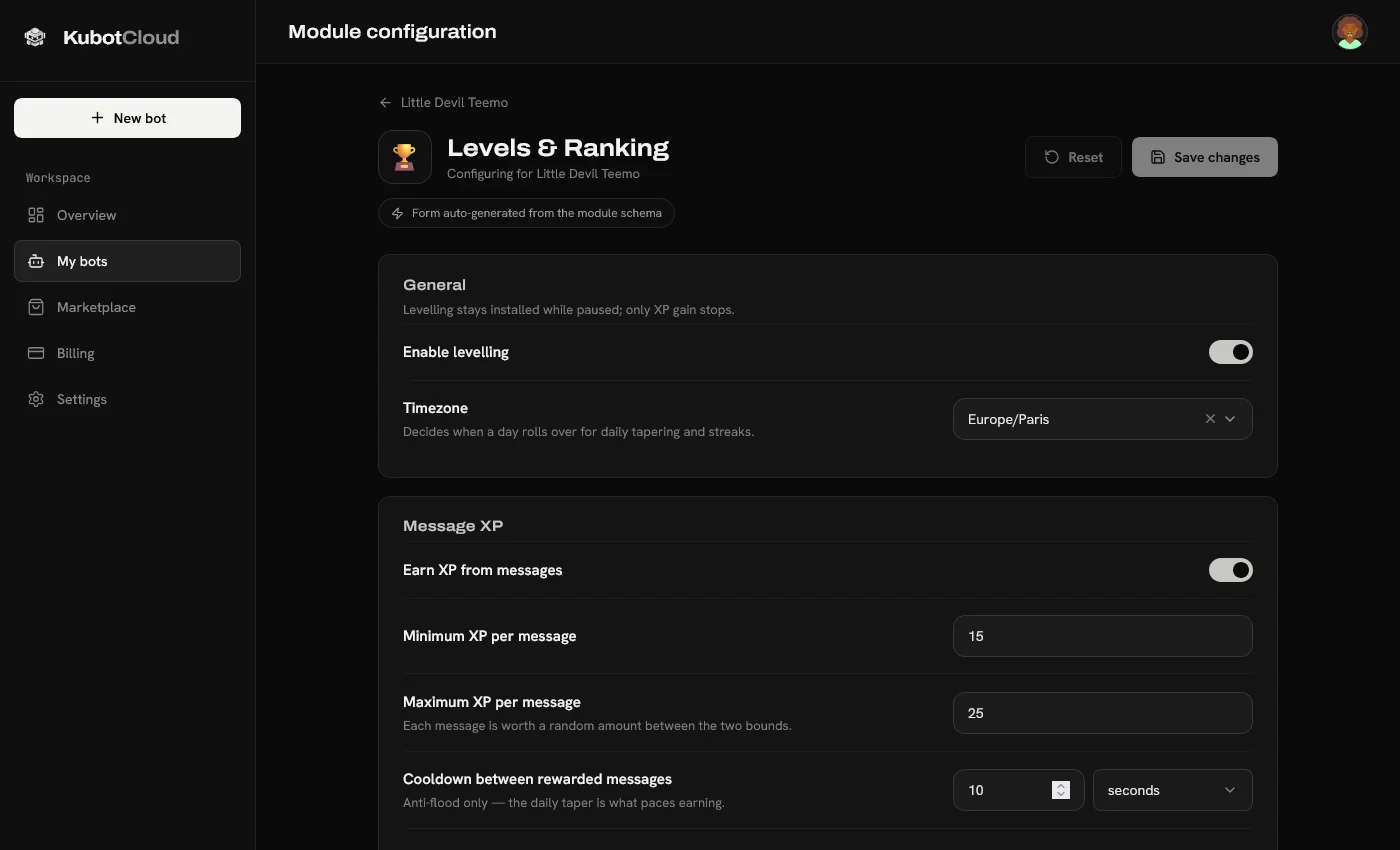
| Levels & Ranking | XP, role rewards, seasons |
| Logger | Message edits and deletes, joins, bans, role changes |
| Invites | Real invite tracking and leaderboards for partner swaps |
| Statistics Display | Live player counts in channel names |
You switch on what you need and leave the rest off. Each module configures from a generated form rather than a config file, and you restyle the embeds it sends so they carry your server's colours instead of a default blurple.
Tickets are the part that quietly bites
Most servers discover the same problem about three months in. Someone appeals a ban, the ticket is resolved, the channel gets deleted — and six weeks later that player insists they were never told why.
Transcripts solve it, but only if they survive. Discord's own attachment links expire within about a day and stop resolving once the channel is gone, so a transcript that merely points at them goes blank inside a week. Kubot copies the images into storage at capture time and serves the transcript from your own dashboard, with every display name frozen as it was.
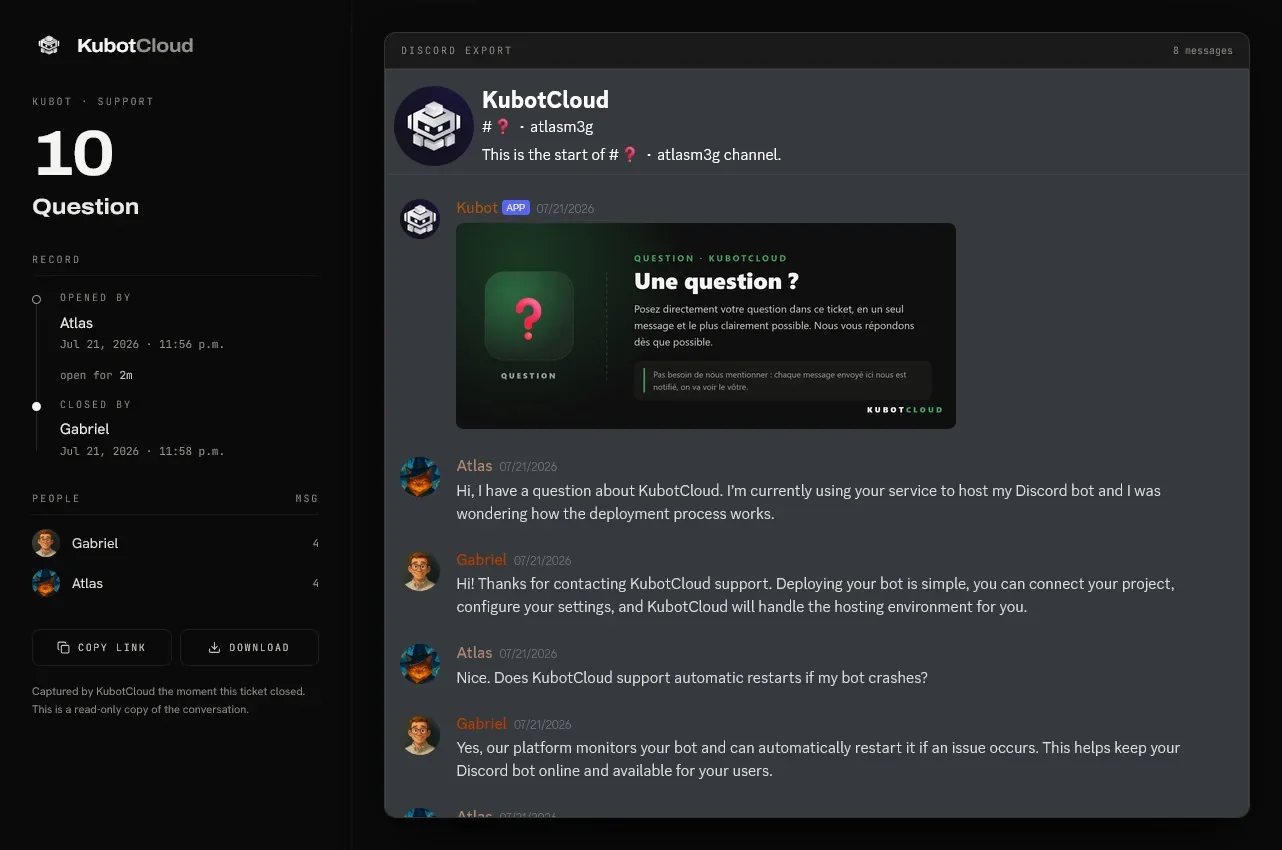
That is the difference between a log you can act on and a log that is merely technically present.
Giving staff access without giving away the token
The other thing that catches admins out: your moderators need to restart the bot and read tickets, but they should be nowhere near the token that controls your Discord application.
There are five access levels — viewer, operator, developer, administrator and owner — and the token stays with the owner alone. A moderator can restart the bot and read a transcript without ever being able to take the application with them. Every action leaves a line in an activity log, with a name and a timestamp against it.
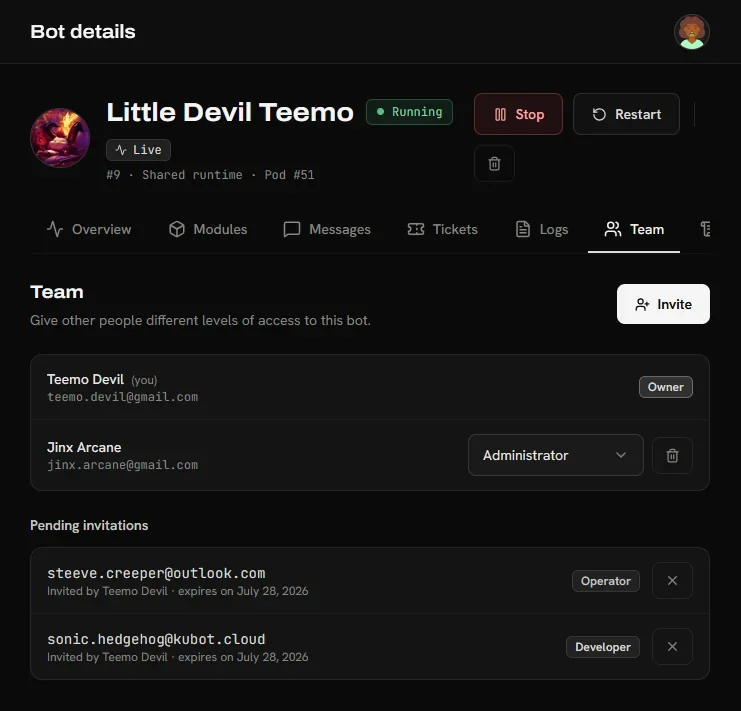
What the setup actually takes
Roughly five minutes, and most of it happens on Discord's side:
- Create the application in Discord's developer portal and give it your server's name and icon — about a minute.
- Paste the token in. It is checked against Discord live, and the username, avatar and client ID fill themselves in.
- Pick your modules and deploy. The container starts in about thirty seconds.
After that it stays up on its own: it runs in a container, restarts itself if it crashes, and new releases ship from the host's side with nothing for you to upgrade. The quick-start guide walks through the whole thing.
What it costs
Nothing, at the moment. Hosting, updates and support are included, every module is available at no charge, and no card is required to create a bot. Worth checking before you commit — pricing models change — but as things stand, the barrier to running your own branded bot is a Discord application and five minutes.
Is it worth doing?
If your Discord is three people and a memes channel, five bots are fine and you can ignore all of this.
If you are running an actual community — staff rotas, appeals, partner traffic, a name people recognise — then the bot sitting in your member list is part of your server's presentation, the same way your icon and your MOTD are. Folding five into one you own removes four points of failure and puts your name where a vendor's used to be.
More on running and growing a server over on the Minecraft-Stats blog.
Was this article helpful?